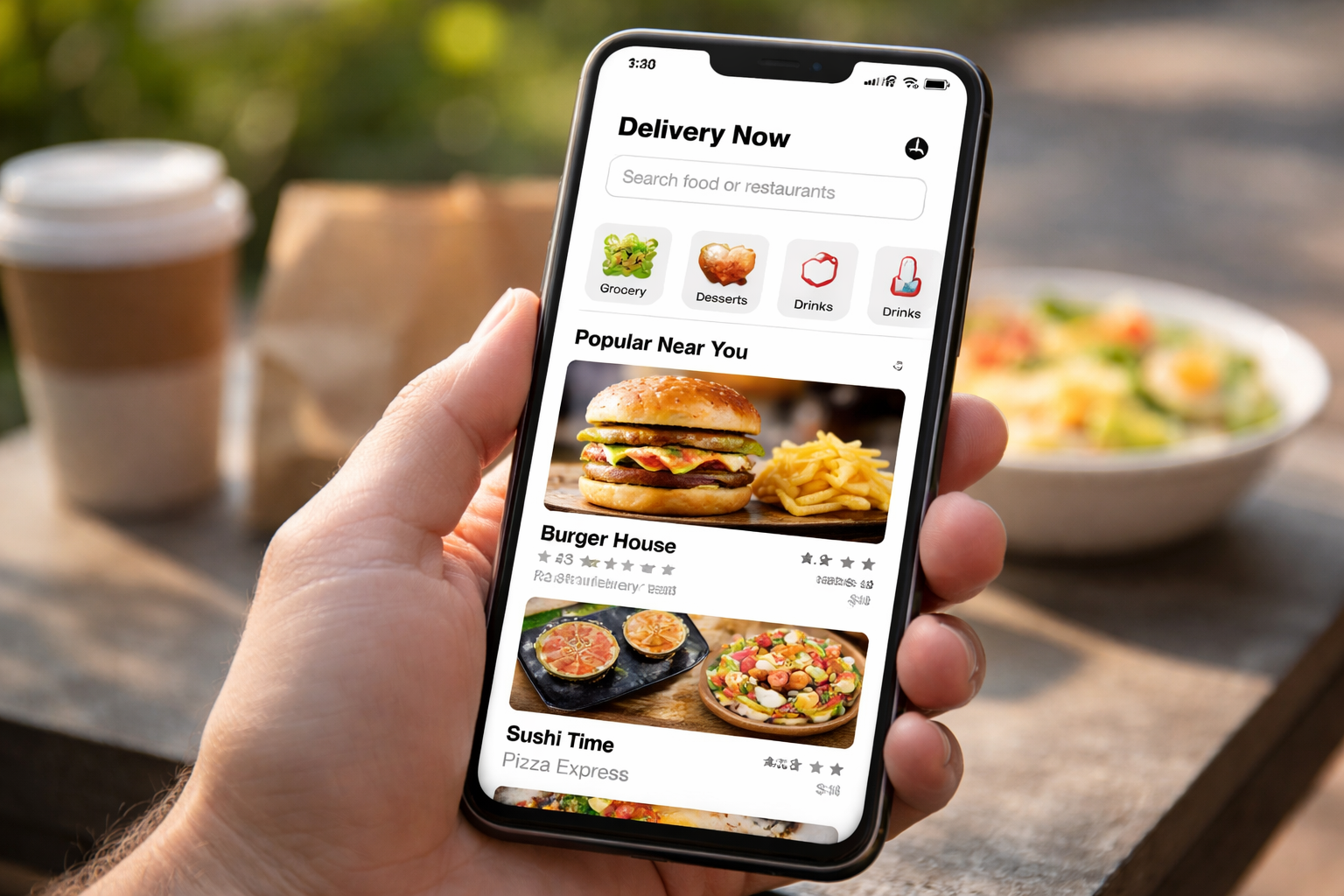
A great delivery app is more than just a place to place orders. It should feel easy, fast, and reliable ; like a helpful assistant in your pocket.
Customers today expect a smooth experience from the moment they open the app until their order arrives. If the app is confusing, slow, or unclear, users will quickly switch to another service.
On the other hand, a clean and simple delivery app keeps customers happy, builds trust, and encourages them to order again and again.
In this blog, we’ll share the key steps to design a delivery app that customers love ; from onboarding to tracking, checkout, and customer support.
1. Start with a Simple Onboarding Experience
First impressions matter. When a customer opens your app for the first time, they should understand what to do in seconds.
Tips for Better Onboarding
-
Use clear language and simple instructions.
-
Offer quick signup options like Google or Apple login.
-
Show a short tutorial with 3–4 steps.
-
Allow users to skip the tutorial.
A smooth onboarding process increases user trust and encourages repeat usage.
2. Make the Search and Browse Experience Fast
Customers want to find what they need quickly. If the search is slow or confusing, they may leave.
What to Include
-
Smart search with suggestions.
-
Filters like “Fast delivery,” “Price,” “Ratings,” and “Category.”
-
A clean layout with large images and clear prices.
-
A “recently viewed” section for quick access.
A fast and smart search helps users order in less time, improving satisfaction.
3. Build a Clear and Easy Checkout Process
Checkout is where many users drop off. A complicated checkout leads to cart abandonment.
How to Improve Checkout
-
Show a clear order summary.
-
Offer multiple payment options (cards, wallets, cash).
-
Allow users to save their addresses.
-
Include a delivery time estimate.
-
Provide an easy option to edit or cancel orders.
A simple checkout makes the buying process smooth and stress-free.
4. Provide Real-Time Tracking and Updates
Customers love knowing where their order is at all times.
Best Tracking Features
-
Live map tracking of the delivery driver.
-
Real-time notifications for:
-
Order accepted
-
Driver on the way
-
Order delivered
-
A simple status bar (e.g., “Preparing → On the way → Delivered”)
Real-time updates build trust and reduce customer support issues.
5. Add Personalized Recommendations
Personalization increases customer loyalty and boosts orders.
How to Personalize
-
Show recommended products based on past orders.
-
Add a “Top Picks for You” section.
-
Offer discounts for repeat customers.
-
Use user behavior to show popular items.
Personalization makes users feel understood and encourages them to order again.
6. Create a Smooth Customer Support System
Delivery problems happen and customers need quick support.
Support Features to Add
Fast and helpful support improves customer trust and satisfaction.
7. Design for Speed and Performance
A slow app will lose users no matter how good it looks.
Performance Tips
-
Use lightweight images.
-
Optimize app loading speed.
-
Reduce unnecessary animations.
-
Ensure the app works well on all devices.
Fast performance is a key factor in user experience and customer retention.
8. Keep the Design Clean and Simple
A good design should feel natural and not overload the user.
Design Best Practices
-
Use simple colors and clear fonts.
-
Keep buttons large and easy to tap.
-
Avoid clutter and unnecessary features.
-
Use consistent icons and labels.
A clean design makes the app feel professional and trustworthy.
Why a User-Friendly Delivery App Matters
Designing a user-friendly delivery app is not just about aesthetics ; it’s about speed, clarity, and trust. When users can search, order, and track easily, they feel confident and keep coming back.
If you want to build a delivery app that customers truly love, Zeew offers a complete solution. Zeew helps businesses launch and manage delivery platforms with easy onboarding, powerful tracking, fast performance, and strong customer support ; all in one place.
Build your user-friendly delivery app with Zeew and start delivering better experiences today.